Augify - Augmented Reality App
About The Project
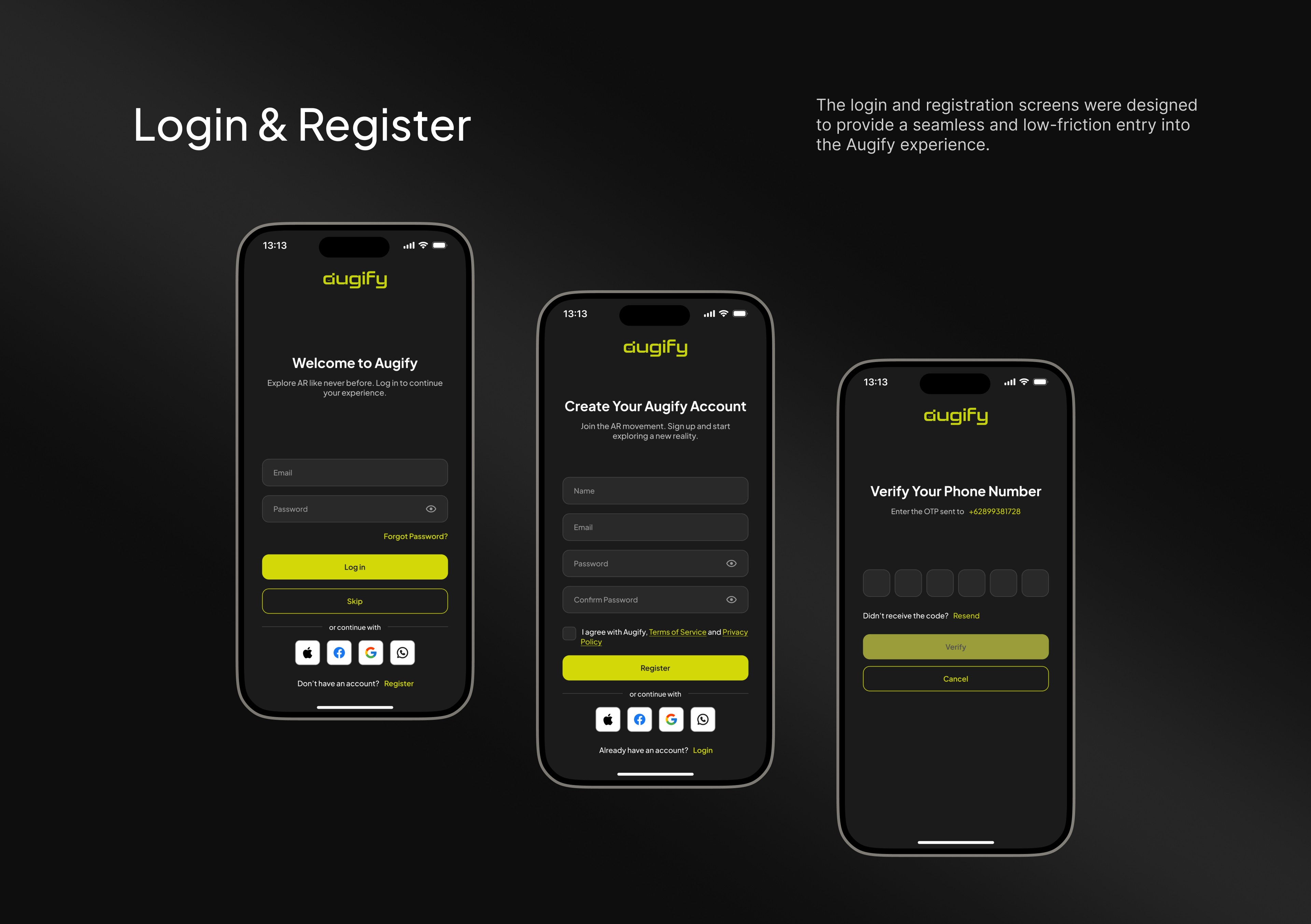
Augify is a smart image platform that transforms static images into interactive experiences by linking them to video content. Users can create Smart Images without technical skills, allowing anyone to trigger videos simply by scanning an image with their camera. The project focused on designing an intuitive end-to-end experience, including onboarding, Smart Image creation, content management, referrals, and discovery through a community feed. Special attention was given to UX clarity, monetization flows, accessibility, and future scalability, ensuring the app supports both casual users and content creators while enabling immersive, story-driven interactions.
Problems
Despite its innovative concept, Augify faced several UX and product challenges that impacted usability, clarity, and engagement. New users often felt confused during onboarding, as key actions-such as accepting terms or understanding the purpose of short intro videos-were not clearly communicated. The creation flow for Smart Images lacked guidance, making it difficult for users to understand how images, videos, and triggers were connected. Navigation and content discovery were also fragmented, with an overloaded Home page, unclear content hierarchy, and limited interactivity on Augie cards.
Additionally, important features such as referrals, rewards, monetization options (public vs. private), and offline access were either hidden or insufficiently explained, reducing adoption and conversion. Error states and edge cases-such as poor network connectivity, empty states for new users, and inconsistent navigation behavior-created friction and uncertainty. Finally, the app lacked scalable UX patterns for future features like conditional experiences, multi-language content, and tablet support, making it difficult to extend the product without introducing complexity or redesign.
The Challenge
Designing Augify involved translating a technically complex concept-linking images to videos and triggering experiences through scanning-into a simple and intuitive interface for non-technical users. The onboarding flow needed to clearly communicate the product’s value while staying lightweight and engaging, without overwhelming first-time users. At the same time, the UX had to scale to support evolving features such as public and private Augies, referral rewards, monetization flows, offline access, conditional experiences, and future enhancements like virtual paths and multi-language content. Balancing this growing complexity with clean navigation, consistent terminology, and minimal cognitive load was a key challenge. Additional considerations included handling edge cases such as poor network conditions, empty states for new users, and content moderation flows, as well as adapting layouts and interactions for tablet devices without compromising usability or visual hierarchy.
Our Approach
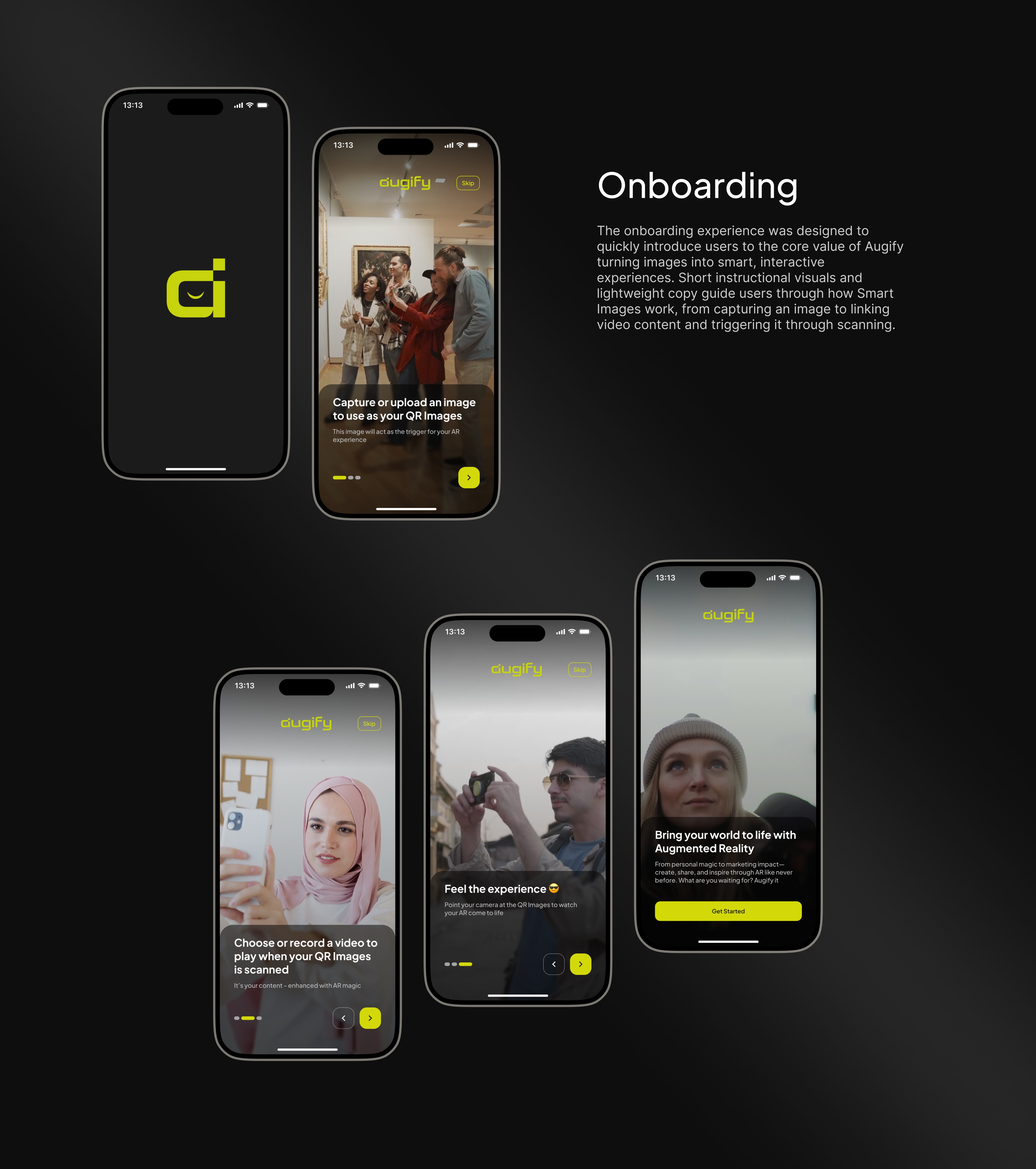
Our approach focused on simplifying a complex product concept into a clear, scalable, and user-centered experience. We started by clarifying the core user journeys—onboarding, Smart Image creation, content management, and discovery—then iteratively refined each flow based on usability issues, edge cases, and evolving product requirements. Emphasis was placed on progressive disclosure, ensuring advanced features such as monetization, referrals, offline access, and conditional experiences were introduced only when relevant. We prioritized UX clarity through lightweight copy, consistent terminology, and intuitive navigation patterns, while maintaining flexibility for future expansion. Prototyping in Figma allowed rapid testing and refinement of interactions, animations, and empty states, helping validate flows and reduce friction. Throughout the process, close collaboration with the product owner ensured alignment between design decisions, technical feasibility, and business goals, resulting in a scalable design system adaptable to both mobile and tablet experiences.
Wireframe

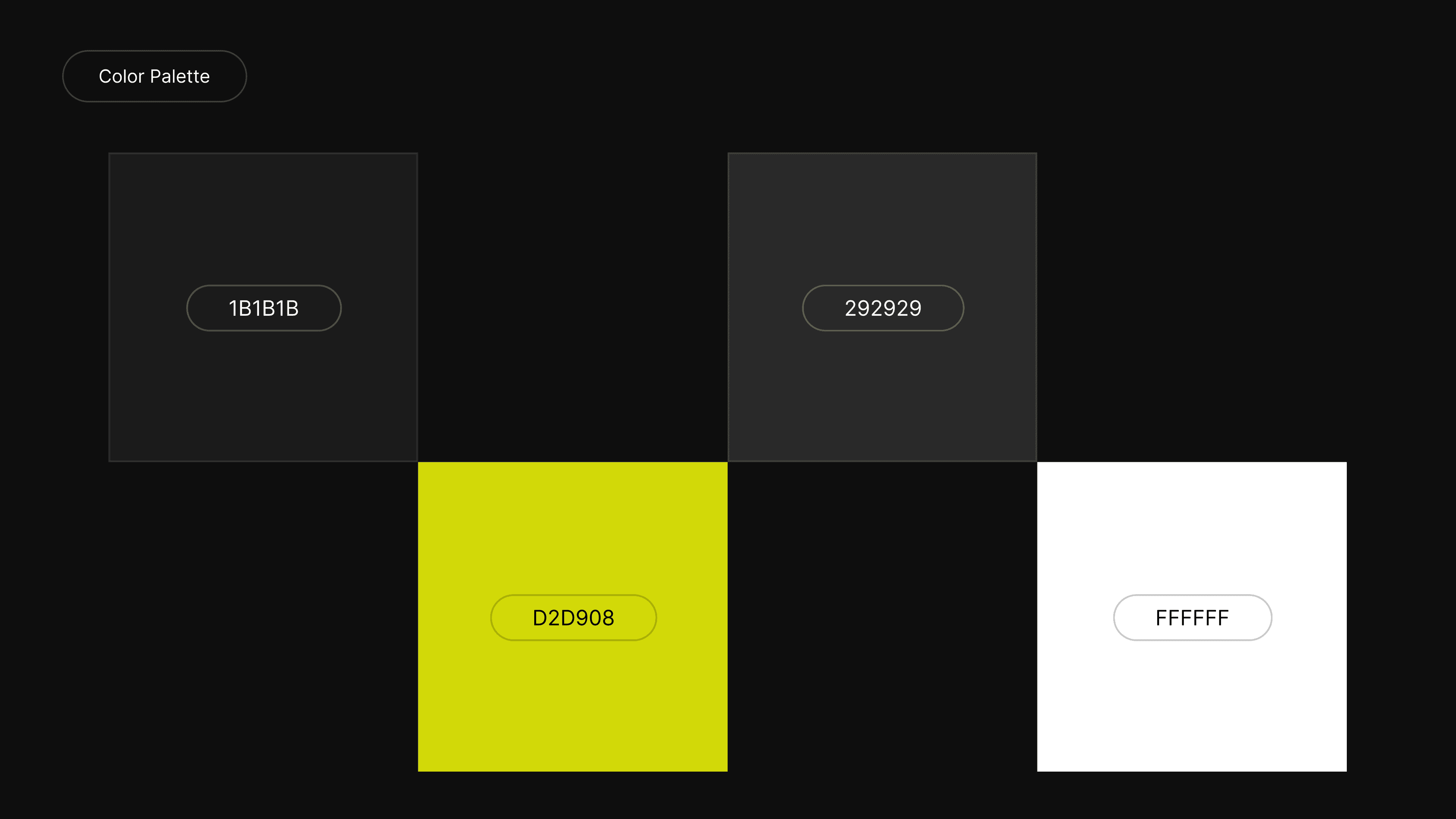
Style Guide

Design Solution
Result
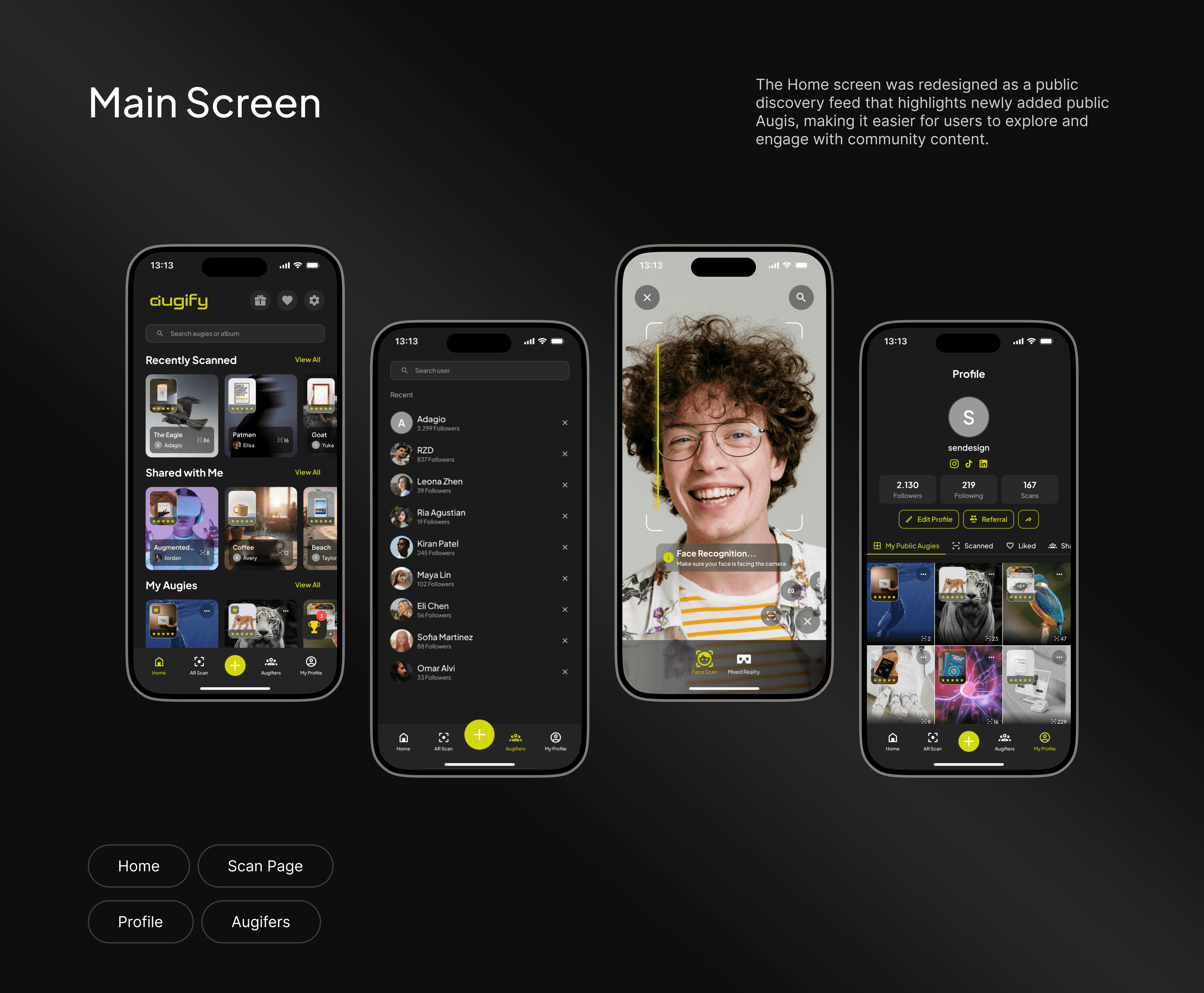
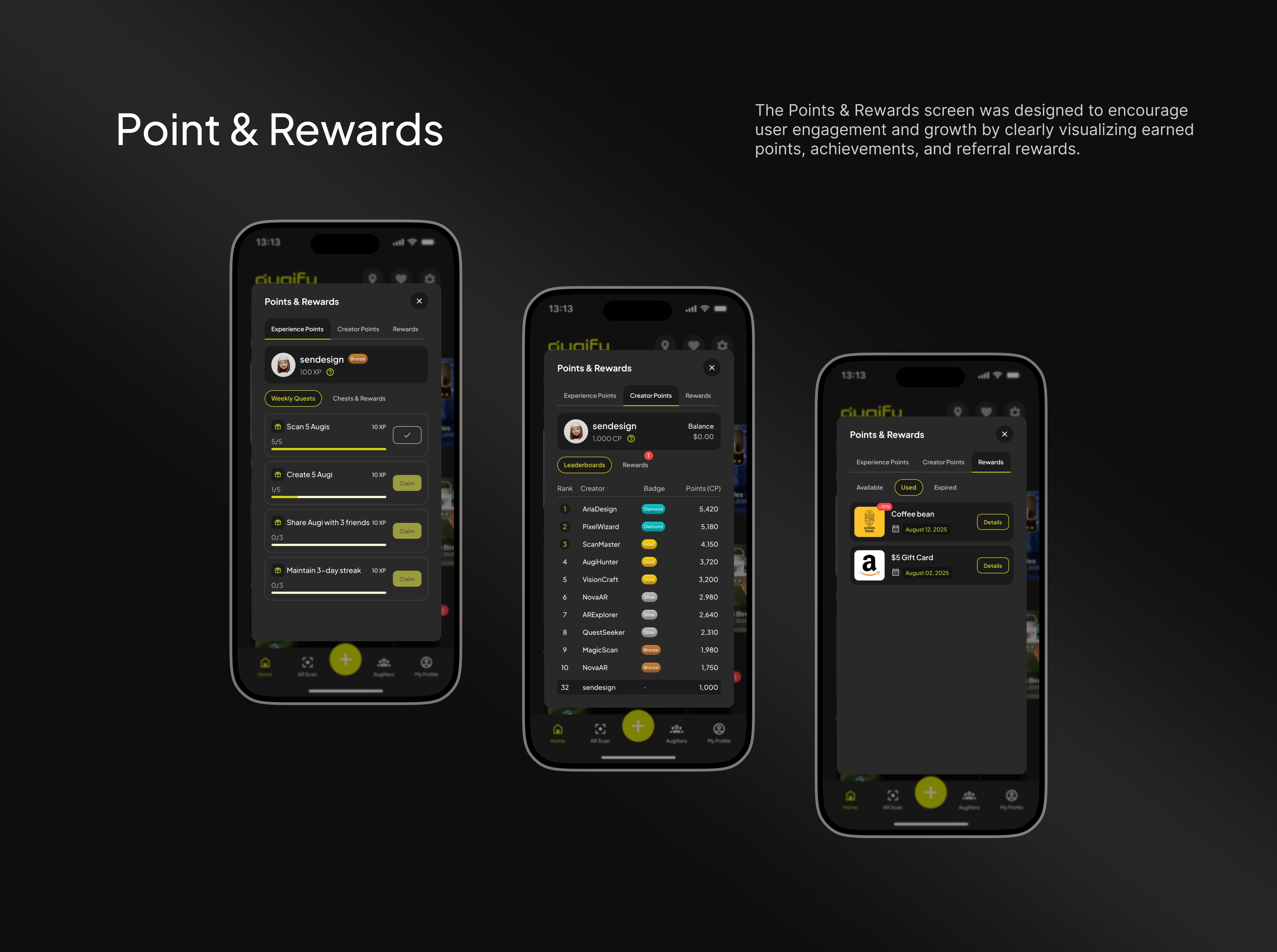
The design improvements resulted in a more intuitive and streamlined user experience across the app. Simplified onboarding with clearer instructions helped first-time users quickly understand how Smart Images work and reduced initial confusion. The redesigned Home feed improved content discovery and engagement by focusing on public Augis and making cards fully interactive. Introducing structured empty states, better navigation logic, and clearer calls to action eliminated dead ends for new users. Feature enhancements such as referral rewards, offline access, and content controls were integrated through scalable UI patterns, ensuring advanced functionality remained easy to use without overwhelming the interface. Overall, the updated design increased clarity, reduced friction, and created a flexible foundation that supports future growth, including multi-content experiences and tablet optimization.
